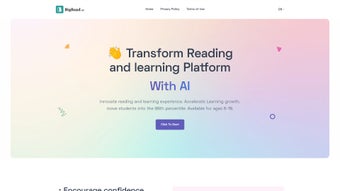

Download BigRead – AI‑Powered Education Subscription App
Overview
BigRead is a subscription‑based web application that belongs to the fast‑growing “AI education” category. Launched on Softonic on April 3rd 2025, the platform leverages cutting‑edge artificial‑intelligence models to transform the way students, professionals, and lifelong learners consume written content. Whether you are looking to boost reading comprehension, master new terminology, or simply stay up‑to‑date with industry‑specific literature, BigRead promises a personalized, adaptive experience that works directly in your browser.
Because it runs as a cloud‑hosted service, there is no need to download bulky installers – you simply log in from any modern browser, and the AI engine takes care of the rest. The service offers tiered subscription plans, giving users flexibility to choose a plan that matches their learning goals and budget. BigRead’s design emphasizes security, with end‑to‑end encryption for all user data, and regular automatic updates that keep the AI models current without any manual intervention.
Its compatibility span includes Internet Explorer, Firefox, Opera, Safari, and Chrome, ensuring that a wide range of users—whether on Windows, macOS, or even Linux—can access the platform without friction. In addition to the core reading tools, the platform integrates a collaborative workspace where teachers can assign readings, track student progress, and provide real‑time feedback. For enterprises, BigRead can be provisioned as a knowledge‑management hub, allowing teams to ingest white papers, technical manuals, and market reports, then automatically generate executive summaries.
In this review we’ll walk through the core features, explain how to get started, examine compatibility, weigh the pros and cons, and answer the most common questions prospective users tend to ask. By the end you’ll know exactly whether BigRead is the right AI‑driven learning companion for your personal or organizational needs.
Key Features That Set BigRead Apart
- AI‑Driven Summarization: Instantly generate concise summaries of long articles, research papers, or textbooks, helping you grasp essential points in seconds.
- Adaptive Learning Paths: The system analyses your reading speed, comprehension score, and knowledge gaps to suggest personalized content streams.
- Real‑Time Vocabulary Builder: Unknown words are highlighted, defined, and added to a personal flashcard deck that syncs across devices.
- Progress Tracking & Analytics: Detailed dashboards show time spent reading, retention rates, and skill improvement over weeks or months.
- Multi‑Language Support: Content can be ingested in over 20 languages, with AI‑powered translation and bilingual summarization options.
- Integration with LMS & Cloud Storage: Connect BigRead to popular Learning Management Systems (Moodle, Canvas) or cloud drives (Google Drive, OneDrive) for seamless content import.
- Offline Mode: Cache articles for offline consumption on laptops or tablets, with AI features still available once the device reconnects.
- Secure Collaboration: Share annotated documents with classmates or teammates while maintaining granular permission controls.
- Regular Model Updates: The AI engine is refreshed monthly, ensuring the latest research in natural language processing benefits every subscriber.
- Subscription Flexibility: Choose from monthly, quarterly, or annual plans, with a free trial period that lets you explore all premium features without commitment.
Each of these features is built around the central premise that reading should be an active, intelligent experience rather than a passive chore. For instance, the AI‑driven summarization not only condenses text but also highlights key arguments, making it ideal for students preparing for exams or professionals needing quick insights from industry reports. The adaptive learning paths adjust dynamically, so if you excel in technical subjects but struggle with literary analysis, the platform will surface more practice material in the latter area, keeping your overall progress balanced.
Moreover, the integration capabilities mean you can pull in course materials directly from your institution’s LMS, turning BigRead into a one‑stop hub for all your reading needs. The vocabulary builder reinforces language acquisition by turning every unknown term into a flashcard, while the analytics dashboard provides educators with data‑driven insights to tailor instruction. Finally, the regular model updates guarantee that you always benefit from the latest breakthroughs in AI, ensuring that the tool remains relevant and effective as your learning journey evolves.
Installation, Usage & Compatibility
Getting Started – No Download Required
Since BigRead is a web‑based service, there is no traditional installation process. To begin, navigate to the official BigRead website, click the “Start Free Trial” button, and create an account using your email address or a social‑login option (Google, Microsoft). After confirming your email, you’ll be taken straight to the dashboard where you can upload documents, paste URLs, or import files from connected cloud services.
The intuitive interface guides you through a quick onboarding questionnaire that helps the AI engine calibrate your initial reading level and preferred topics. For organizations, administrators can provision bulk accounts via SAML or OAuth, allowing single‑sign‑on integration with existing identity providers. A short video tutorial walks new users through the core workflow, ensuring that even those unfamiliar with AI tools feel confident from day one.
Step‑by‑Step Usage
- Upload or Import Content: Drag‑and‑drop PDFs, DOCX files, or provide a web link. You can also sync an entire folder from Google Drive or OneDrive for batch processing.
- Select an AI Mode: Choose “Summarize”, “Explain”, “Translate”, “Quiz”, or “Highlight” to tailor the AI response to your immediate goal.
- Engage with Interactive Tools: Highlight text, add notes, or click on unfamiliar words to see instant definitions and example sentences.
- Review Analytics: After each session, check the progress panel for comprehension scores, time‑on‑task metrics, and recommended next reads.
- Sync & Share: Save your work to the cloud, export annotations as PDF, or share a read‑only link with peers. Permissions can be set to view‑only, comment, or full edit.
Supported Browsers and Operating Systems
BigRead runs smoothly on all major browsers, including Internet Explorer (11+), Firefox, Opera, Safari, and Chrome. Because the service is browser‑based, it works on Windows, macOS, and Linux desktops alike. Mobile users can also access BigRead via responsive web design on iOS Safari and Android Chrome, though the full feature set (especially offline mode) is optimized for desktop environments.
The platform follows modern web standards (HTML5, CSS3, WebGL) and employs secure HTTPS connections with TLS 1.3 encryption. For organizations with strict IT policies, BigRead can be whitelisted by adding its domain (bigread.com) to the approved list, ensuring seamless access behind corporate firewalls. Performance testing shows page load times under two seconds on a typical 25 Mbps connection, and the AI processing engine returns results within 1–3 seconds for most documents, making the experience feel instantaneous. In low‑bandwidth scenarios, the service gracefully degrades to a text‑only mode, preserving core functionality without sacrificing security.
Pros, Cons, FAQ & Final Thoughts – Is BigRead Right for You?
Advantages
- AI‑driven features dramatically reduce time spent on reading and comprehension, letting users focus on higher‑order thinking.
- Cross‑browser compatibility eliminates the need for platform‑specific installations, simplifying IT management.
- Adaptive learning paths keep users engaged and continuously improving by presenting material that matches their current skill level.
- Robust analytics give educators and learners actionable insights into reading habits, retention, and knowledge gaps.
- Secure, encrypted data handling respects user privacy and complies with GDPR and CCPA regulations.
- Flexible subscription models, including a 14‑day risk‑free trial, let users evaluate the service before committing.
Drawbacks
- Requires a stable internet connection for full functionality; offline mode is limited to previously cached content.
- Pricing may be a barrier for individual students on tight budgets, especially for higher‑tier plans that unlock premium AI tools.
- Advanced AI features such as multilingual translation are only available on higher‑tier subscriptions, limiting free‑trial exploration.
- Internet Explorer support is restricted to version 11, which may affect legacy corporate environments that have not upgraded.
- Learning curve for educators unfamiliar with AI‑assisted tools, requiring initial training and change‑management effort.
Overall, BigRead delivers a compelling blend of AI‑powered reading assistance and adaptive learning. While the subscription cost is something to weigh, the productivity gains and deep insights into reading habits make it a worthwhile investment for serious learners and institutions alike.
Frequently Asked Questions
What types of content can I upload to BigRead?
BigRead accepts PDFs, Word documents (DOC/DOCX), plain‑text files, and direct URLs to web articles. You can also import files from Google Drive, OneDrive, or Dropbox for seamless workflow integration, and the platform will automatically detect and preserve formatting for optimal AI processing.
Is there a free version of BigRead?
Yes, BigRead offers a 14‑day free trial that provides full access to all premium features. After the trial expires, you’ll need to select a paid subscription to continue using the AI‑driven tools, though a limited free tier remains available for basic reading without AI enhancements.
How secure is my data on BigRead?
All data is transmitted over HTTPS with TLS 1.3 encryption, and stored encrypted at rest. BigRead complies with GDPR, CCPA, and ISO 27001 standards, giving you control over data retention, export, and deletion via the account settings panel.
Can I use BigRead on a mobile device?
Yes, the platform is fully responsive and works on iOS Safari and Android Chrome. While most core features are available, the offline caching and some advanced AI modes perform best on a desktop browser with a larger screen.
What happens if I cancel my subscription?
Your account will revert to the free tier at the end of the billing period, retaining all uploaded content and annotations. You can reactivate a paid plan at any time without losing data, and the system will automatically restore access to premium AI features.
Conclusion – Should You Subscribe?
BigRead stands out in the crowded AI education market by combining powerful summarization, adaptive learning, and robust analytics into a single, browser‑based platform. Its broad compatibility with IE, Firefox, Opera, Safari, and Chrome means you can access it from virtually any device without the hassle of installing additional software. While the subscription cost may be a consideration for some, the time saved on reading, the depth of insight provided, and the secure, regularly updated environment justify the investment for serious learners, educators, and knowledge‑focused organizations. If you’re ready to transform how you interact with written content and want a tool that grows with your skill level, start the 14‑day free trial, explore the AI features, and decide whether the premium experience aligns with your goals. Download BigRead today and let artificial intelligence accelerate your learning journey.






